by Digital Juan | Mar 10, 2026 | Selling Digital Products
Why Most Digital Products Don’t Sell (Even When the Idea Is Good)
You can have:
- A validated idea
- A useful product
- A real problem to solve
And still struggle to make consistent sales. That’s frustrating. Because at this point, you’ve already done the hard part.
So naturally, you start thinking:
- “Maybe I need more traffic”
- “Maybe I need better marketing”
- “Maybe I need to improve the product”
But in most cases, that’s not the issue.
The issue is this:
Your product exists… but your offer is not clear enough to sell.
The Difference Between a Product and an Offer
Most people focus on building a product. Very few focus on how that product is presented.
A Product Is:
- What you created
- What’s inside
- What it includes
An Offer Is:
- How it’s positioned
- Who it’s for
- What result it creates
And that difference matters. Because people don’t buy products.
They buy:
- Outcomes
- Clarity
- Relevance
Why Clarity Drives Conversions
When someone lands on your page or sees your offer, they’re not analyzing deeply. They’re scanning.
In seconds, they’re asking:
- Is this for me?
- Will this help me?
- Is this worth it?
If your offer doesn’t answer those questions immediately…
They hesitate. And hesitation leads to no action.
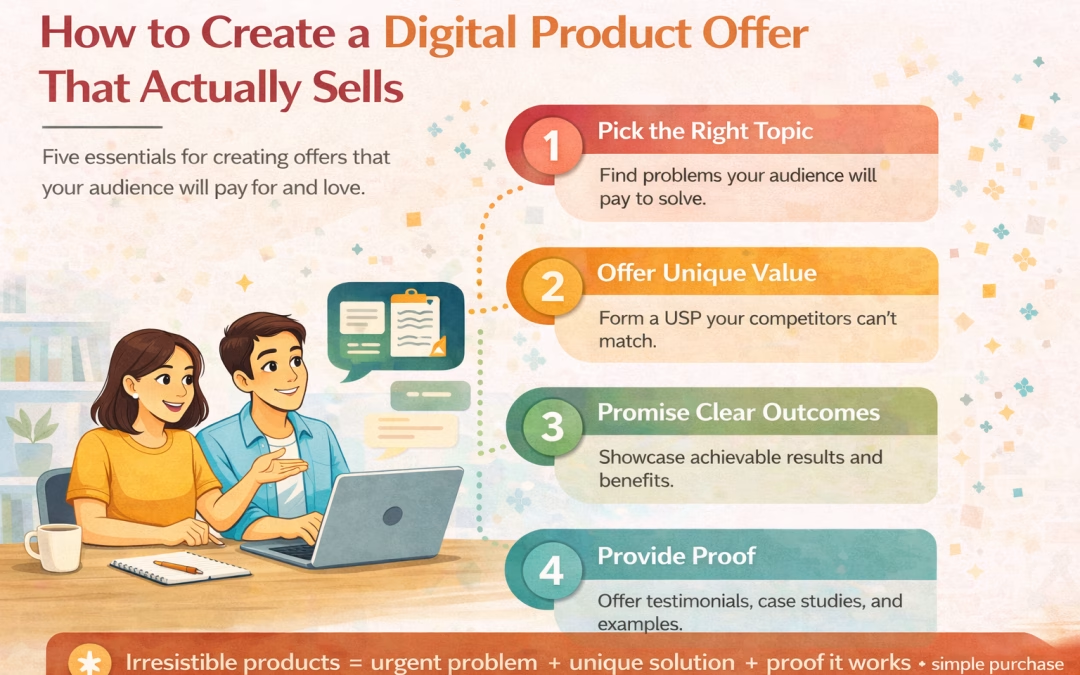
Step 1: Make the Outcome Clear (This Is Where Conversion Starts)
Most digital product offers fail because they focus on content instead of results.
Weak Positioning:
- “A course on blogging”
- “A guide to digital products”
Strong Positioning:
“A step-by-step checklist to help beginner bloggers create and launch their first digital product in a weekend”
Why This Works
- The outcome is clear
- The audience is defined
- The effort feels manageable
This reduces friction instantly.
Step 2: Define Who This Is For (Relevance Increases Conversion)
A strong digital product offer speaks directly to a specific person. Not everyone. Why This Matters
When your offer is too broad:
- It feels generic
- It lacks connection
- It gets ignored
How to Do This Properly
Instead of:
Say:
“For beginner bloggers who haven’t made their first digital product yet”
What This Does
It creates immediate alignment. The reader doesn’t have to guess.
They know:
“This is for me.”
Step 3: Simplify the Offer (Complexity Kills Sales)
Even if your product is valuable… If it feels complicated, people delay.
Why This Happens
People are not just evaluating value. They’re evaluating effort.
If something feels:
- Overwhelming
- Time-consuming
- Hard to follow
They postpone the decision.
How to Fix This
Position your offer as:
- Simple
- Focused
- Easy to use
Example:
Instead of:
- “Comprehensive multi-module system”
Say:
“A simple checklist you can follow today to get your first product done”
What This Does
It lowers resistance. And lower resistance increases conversions.
Step 4: Match the Offer to the Buyer’s Stage (Timing Matters)
Not every reader is ready for the same thing.
Early-Stage Readers Need:
- Clarity
- Simplicity
- Quick wins
Advanced Readers Want:
- Systems
- Depth
- Optimization
For Your Current Audience
They are:
- Still learning
- Still building confidence
- Not ready for complexity
So your offer should be:
- Small
- Actionable
- Immediate
Why This Works
Because the offer matches their readiness. And when readiness aligns with the offer… Conversion becomes easier.
Step 5: Make the Offer Feel Like the Next Step (Not a Sales Pitch)
This is where most creators lose momentum. They treat the offer as separate from the content.
Why This Breaks Conversion
When an offer appears suddenly, the reader thinks:
“This feels like a sales push”
And resistance increases.
The Better Approach
Your offer should feel like:
A continuation of what the reader is already doing
Example Flow:
- You explain why blogs don’t make money
- You introduce digital products
- You simplify the process
Then:
“If you want a simple checklist to follow this step-by-step, I’ve put it together here.”
What This Does
- Keeps flow intact
- Maintains trust
- Removes pressure
The Test of a High-Converting Offer
Before publishing your offer, ask:
- Is the outcome clear within seconds?
- Is the audience specific?
- Does it feel easy to use?
- Does it match where the reader is?
- Does it feel like the next step?
If the answer is yes…
You have a strong offer.
What This Changes in Your Blog
Before:
- Content builds interest
- Readers understand
- But don’t act
After:
- Content builds trust
- Offer creates clarity
- Readers take action
The Deeper Insight (This Is the Leverage Point)
Most people try to fix:
- Traffic
- Funnels
- Marketing
But often, the real issue is:
The offer is not strong enough
Because when your offer is clear:
- You don’t need to push
- You don’t need to over-explain
- You don’t need more traffic to see results
What You Should Do Next
Step 1: Write Your Offer Clearly
Use this structure:
“A [format] for [specific person] to achieve [clear outcome]”
Step 2: Refine for Simplicity
Ask:
- Can this be easier to understand?
- Can this feel faster to use?
Step 3: Align It With Your Content
Make sure:
- Your content leads naturally to this offer
Step 4: Place It Strategically
Add your offer:
- At the end of key posts
- After moments of clarity
- Where the reader is ready
Closing Shift
At this stage, your growth is not about:
- More ideas
- More effort
- More content
It’s about:
Creating a digital product offer that is clear, relevant, and easy to act on
Because that’s what turns:
- Readers → Buyers
- Content → Income
Where to Go Next
Now that your offer is clear:
👉 The next step is building a simple system that consistently brings people to it
Because even the best offer needs:
- Visibility
- Flow
- Placement

by Digital Juan | Mar 7, 2026 | Selling Digital Products
The Quiet Fear That Slows Everything Down
At some point, after you’ve:
- Learned how bloggers make money
- Thought about creating a product
- Maybe even outlined an idea
You hit a moment that feels… uncertain. It’s not loud. It doesn’t stop you completely. But it lingers.
“What if I build this… and no one buys?”
And that one thought changes your behavior.
You start:
- Rethinking your idea
- Looking for better ones
- Consuming more content
- Delaying the actual work
Not because you’re lazy. But because you’re trying to avoid wasting effort.
Why This Fear Exists (And Why It’s Valid)
Let’s be honest. Creating something takes time. And the idea of putting in that effort… only to get no response? That’s frustrating.
So your instinct is to protect yourself. To wait until you’re more certain. To gather more information.
To “be ready.”
But here’s the problem: Certainty doesn’t come before action.
It comes from it.
The Real Purpose Why We Validate Digital Product Idea
Most people misunderstand validation. They think it’s about proving:
- “This idea will definitely work”
It’s not. Validation is about something much simpler:
“Is this problem real enough that people care about solving it?”
That’s it.
You’re not validating:
- The final product
- The branding
- The pricing
You’re validating:
- The problem
- The interest
- The behavior
The Mistake That Keeps People Stuck
Most people try to validate like this:
- Think of an idea
- Build the product
- Then see if it works
That feels logical. But it’s actually backwards.
Because now:
- You’ve already invested time
- You’re emotionally attached
- You’re less objective
And if it doesn’t work… It feels like failure.
The Shift That Changes Everything
Instead of:
“Let me build this and hope people want it”
You shift to:
“Let me see if people care about this before I build it fully”
This removes pressure. Because now:
- You’re not committing yet
- You’re exploring
- You’re observing
Think of It as a Conversation, Not a Launch
You’re not saying:
“Here’s my finished product”
You’re saying:
“I’ve been working on something to solve this problem… does this resonate?”
That small shift changes everything.
What You’re Actually Looking For
When you validate digital product idea , you’re not looking for perfection. You’re looking for signals. Small, real indicators that tell you:
“This matters to someone.”
These Signals Can Look Like:
- Someone replying with a question
- Someone saying “I need this”
- Someone clicking to learn more
- Someone saving or revisiting your content
Not huge numbers. Just clear relevance.
Why Small Signals Are Enough
Most people wait for:
- High engagement
- Big responses
- Viral traction
You don’t need that. You need:
- The right people responding
- Consistent interest
- Real curiosity
Because your goal is not attention. It’s alignment.
The Moment Validation Becomes Real
There’s a point where things shift. It’s when people don’t just say:
“That sounds interesting”
But start doing something:
- Asking how it works
- Wanting access
- Taking the next step
That’s when you know:
You’re not guessing anymore
What to Do When There’s No Response
This is where most people panic.
They assume:
- “The idea is bad”
- “This won’t work”
But that’s rarely true.
More often, it means:
- The problem wasn’t clear
- The message didn’t connect
- The audience wasn’t right
So instead of quitting…
You adjust:
- The way you explain it
- The angle you present
- The context you use
How to Validate Without Overcomplicating It
Let’s make this simple and practical.
Step 1: Clarify the Problem
Write it clearly:
- Who is this for?
- What are they struggling with?
- What do they want instead?
If this is vague, everything else will be weak.
Step 2: Talk About It Before Building
Create content around the idea:
- Explain the problem
- Share your thinking
- Introduce the solution direction
Not as a finished product. As a perspective.
Example:
“I’ve noticed a lot of bloggers struggle to turn content into income. I’m putting together a simple checklist to help with that…”
Now you’re inviting response.
Step 3: Observe Behavior (Not Just Words)
This is critical. People may say: “That’s cool”
But what matters is:
- Do they click?
- Do they stay?
- Do they ask more?
Behavior reveals truth.
Step 4: Test a Lightweight Version
Before building something big, create something small:
- A checklist
- A short guide
- A template
Then offer it.
Why This Matters
Because now you’re testing:
- Will people take action?
- Will they exchange value?
That’s real validation.
Step 5: Decide Based on Reality
At this point, you’ll have feedback. Not perfect. But enough.
Now ask:
- Is there consistent interest?
- Are people engaging?
- Does this feel aligned?
If yes:
→ Move forward
If not:
→ Adjust, don’t abandon
The Deeper Truth About Validating Digital Product Idea
Validation is not about removing all risk. That’s impossible. It’s about reducing uncertainty enough to move forward. You Will Never Have 100% Certainty
And that’s okay. Because what you’re building is not static. It evolves.
Closing Shift
Right now, the biggest risk is not building the wrong thing.
It’s staying stuck in:
- Thinking
- Planning
- Waiting
Because that feels productive…
But leads nowhere.
The Real Move
Take your idea. Put it in front of people. Let reality respond. Because clarity doesn’t come from thinking longer.
It comes from:
Seeing what actually happens.
Where to Go Next
Now that you understand how to validate digital product idea:
👉 The next step is turning that validated idea into a simple system that actually sells
Because validation gives you confidence… But structure turns that into income.

by Digital Juan | Mar 5, 2026 | Selling Digital Products
The Idea of Funnels Feels Complicated… Until You See This
When most bloggers hear “sales funnel,” they immediately think:
- Landing pages
- Email automations
- Paid ads
- Complex tools
And almost instantly:
“I’m not ready for that.”
So they delay it. Or worse, avoid it entirely. But here’s what most people don’t realize: You already have a funnel.
Right now.
Every time someone:
- Finds your blog
- Reads your content
- Trusts what you’re saying
They are moving through a process.
The problem is:
It’s happening randomly, not intentionally.
And when something is random, it rarely converts.
The Simplest Funnel You Can Build
Let’s strip this down to what actually matters. You don’t need complexity. You need clarity.
Your funnel only needs three parts:
- Content → Attract and build trust
- Bridge → Guide and position
- Product → Convert
That’s it. No extra layers. No unnecessary steps.
Step 1: Content (Where Trust Begins)
At the start, your reader is not ready to buy.
They are:
- Curious
- Confused
- Looking for answers
Your job is not to sell. Your job is to help them understand something they didn’t before.
What High-Quality Content Does
It:
- Speaks to a real problem
- Explains it clearly
- Shifts how the reader sees it
Example Shift
Instead of writing: “Blogging Tips for Beginners”
You write: “Why Your Blog Isn’t Making Money (And What to Do Instead)”
Now you’re not just sharing tips. You’re creating relevance. And relevance builds trust.
Step 2: The Bridge (Where Most Blogs Break)
This is the missing piece in most content. After delivering value, bloggers either:
- Stop
or
- Drop a random product link
Neither works well.
Because the reader is left thinking:
“What do I do with this?”
What the Bridge Actually Does
It connects:
- The problem you just explained
→ to
- The next logical step
Without pressure. Without forcing a sale. Just clarity.
What This Looks Like
Instead of:
“Check out my product”
You say:
“Now that you understand why your blog isn’t generating income, the next step is creating something you can actually sell. I’ve put together a simple checklist to help you do that.”
Now the product makes sense. Now it feels useful.
Step 3: The Product (Where Things Click)
By the time someone reaches this point:
- They understand the problem
- They trust your explanation
- They believe your approach
So when they see your product… It doesn’t feel like selling.
It feels like:
“This is what I need next.”
That’s the goal. Not persuasion. Alignment.
How the Full Funnel Looks in Practice
Let’s slow this down and actually walk through it. Because this is where everything starts to connect. Imagine someone discovering your blog for the first time. They don’t arrive ready to buy.
They arrive trying to figure things out.
Step 1: Awareness
They land on: How Bloggers Make Money
At this point, they’re still thinking: “Maybe I just need more traffic”
Your job is to shift that.
By the end, they feel:
“I’ve been thinking about this the wrong way.”
Step 2: Clarity
They move to:
- How to Create Your First Digital Product
Now they’re thinking:
- “Can I actually do this?”
You simplify the process. Remove overwhelm. Build confidence.
Now they feel:
“I think I can start.”
Step 3: Readiness
They read: Why Trust Matters Before Selling
This removes hesitation. They stop seeing selling as:
And start seeing it as:
Now they feel:
“I don’t need to force this.”
Step 4: Structure
They reach this post. Now everything connects:
- Content → Trust
- Trust → Product
- Product → Income
What used to feel random now feels structured.
Step 5: Action
Now when they see your product:
- It feels relevant
- It feels timely
- It feels aligned
And that’s what drives conversion.
The Big Realization
At no point did you push.
You simply:
- Met the reader where they are
- Helped them understand
- Guided them forward
That’s what makes this work.
What You Should Do Next (Make This Practical)
Now let’s make this real. Because understanding this is one thing. Applying it is what changes your results.
Step 1: Identify Your Entry Post
Choose one post that :
- Solves a clear problem
- Attracts the right audience
If you’re unsure, start with:
This is your starting point.
Step 2: Add a Real Bridge
Go to the end of that post. Don’t let it just end. Add direction.
Example:
“Now that you understand why digital products matter, the next step is figuring out what you can actually create.”
Then link to:
- How to Create Your First Digital Product
Now your post moves the reader forward.
Step 3: Connect Your Core Posts
Link your main posts like this:
- Mindset → Product
- Product → Trust
- Trust → Funnel
- Funnel → Product
This creates a loop. So readers don’t drop off.
Step 4: Align Your Product
Ask:
- Does my product match the problem I’m solving?
- Does it feel like the natural next step?
If not, refine it. Because alignment converts better than persuasion.
Step 5: Keep It Simple
You don’t need:
You need:
- 3–5 strong posts
- One clear product
- Clear connections
That’s enough.
Closing Shift
If funnels felt complicated before… It’s because you were shown tools.
Not logic. But once you see this:
- Content builds trust
- Trust creates readiness
- Readiness leads to sales
Everything becomes simpler. And repeatable.
by Digital Juan | Mar 5, 2026 | Selling Digital Products
The Blog Monetization Lie Most People Still Believe
Most new bloggers start with the same assumption:
“I need traffic so I can earn from ads.”
It sounds logical. More traffic = more clicks = more money. But here’s the reality most bloggers learn too late:
Ads reward attention. Businesses reward trust.
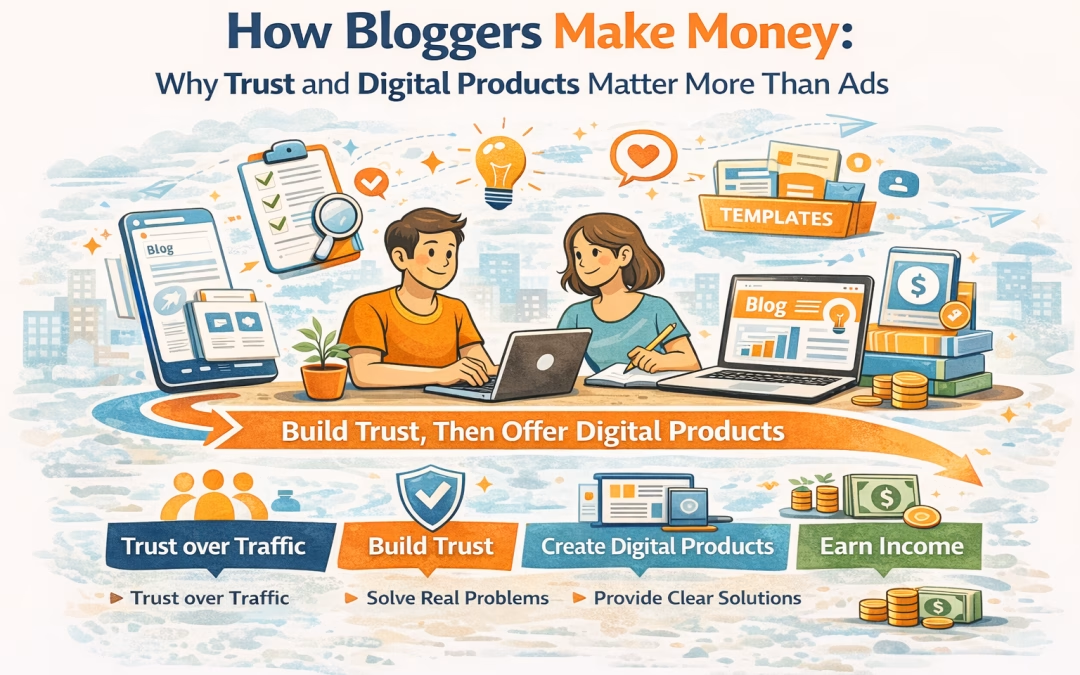
And trust is where the real money is. If you build your blog purely around pageviews, you’re building a fragile income stream. But if you build it around trust, you’re creating an asset that compounds over time.
That’s the shift this post is about.
The Two Monetization Paths (And Why One Wins Long-Term)
There are two dominant ways bloggers make money:
1. The Traffic Model (Ads + Affiliates)
- Earn per click or impression
- Requires high traffic volume
- Income fluctuates constantly
- You rely on platforms and algorithms
2. The Trust Model (Digital Products + Services)
- Earn per relationship, not per click
- Requires deeper content, not just more content
- Income grows as authority grows
- You own the entire system
Here’s the uncomfortable truth:
Traffic is rented. Trust is owned.
Blogs are powerful because they let you build that trust over time. A well-written post can continue attracting and converting readers for years.
Why Ads Are a Weak Foundation for Most Bloggers
Let’s break this down clearly. Ads are not bad. They’re just limited.
The Problems with Ads:
- Low revenue per visitor
You need thousands of visitors to earn small amounts.
- No relationship with your audience
You monetize attention, not connection.
- Platform dependency
Your income depends on traffic sources you don’t control.
- No leverage
Every increase in income requires more traffic.
Even worse, advertising content often blurs the line between value and promotion, which can erode reader trust if overused.
If your goal is a real business, ads alone won’t get you there.
The Real Business Model (Trust → Value → Digital Products)
This is not just a concept. It’s a repeatable system. Think of your blog not as a publishing platform, but as a conversion engine built on trust.
Step 1: Build Trust Through Specific, Useful Content
Most bloggers write broadly. That’s the mistake.
Trust is built through:
- Specificity
- Clarity
- Relevance
Instead of writing: “How to Make Money Online”
You write: “How to Turn 10 Blog Posts Into Your First Digital Product”
Why this works:
- It signals expertise
- It attracts the right audience
- It filters out low-intent readers
Trust increases when readers feel:
“This was written for me.”
Step 2: Turn Content Into Proof of Competence
Your content is not just information. It’s evidence.
Each post should demonstrate:
- How you think
- How you solve problems
- How you simplify complexity
This is what transforms you from:
Practical Shift:
Instead of: “Here are 5 tips”
Do:
- Show process
- Break down decisions
- Share frameworks
Because people don’t buy tips. They buy clarity and confidence.
Step 3: Identify Repeating Problems (This Is Where Products Come From)
Your future product is already hidden in your content.
Look for:
- Questions you keep answering
- Topics you keep revisiting
- Comments or messages asking “how exactly?”
These are signals.
Simple Test: If you’ve explained something 3–5 times… That’s not content anymore. That’s a product waiting to happen.
Step 4: Package the Solution (From Content → Product)
Now you structure what you already know. You’re not creating something new. You’re organizing what already works.
Turn this:
Scattered blog posts
Into this:
- Step-by-step system
- Checklist or template
- Guide or playbook
Example Transformation:
| Content |
Product |
| Blog posts on content strategy |
Content planning template |
| Posts about blogging income |
Monetization roadmap |
| Tutorials |
Structured course |
The key principle:
People pay for organization, not information.
Step 5: Connect Content to Product (Soft Conversion System)
This is where most bloggers drop the ball.
They either:
- Don’t sell at all
or
- Sell too aggressively
The right approach is contextual selling.
Every post should answer:
- What problem does this solve?
- What’s the next step for the reader?
Then naturally introduce your product as:
- The deeper solution
- The faster path
- The structured version
Example:
In your post:
Then you say:
“If you want the exact template, I’ve put it together here…”
That’s it. No pressure. Just alignment.
Why Digital Products Outperform Ads (Every Time)
Let’s compare directly:
| Factor |
Ads |
Digital Products |
| Income Model |
Per click |
Per solution |
| Control |
Low |
High |
| Scalability |
Limited |
High |
| Relationship |
Weak |
Strong |
| Long-Term Value |
Low |
High |
Here’s the key insight:
Ads monetize attention.
Digital products monetize transformation.
People don’t pay for content. They pay for outcomes.
The Compounding Effect Most Bloggers Miss
A blog post does more than attract traffic.
It:
- Builds trust
- Answers questions
- Pre-sells your ideas
- Positions your products
Over time, your blog becomes:
A system that turns strangers into buyers.
This is why blogging still works today. Not because of traffic. But because of compounding authority.
What This Looks Like in Practice
Let’s make this concrete. Instead of writing random posts like:
- “10 Tips for Productivity”
You build a structured path:
Example Content Flow:
- Awareness Post
→ “Why Most Productivity Systems Fail”
- Education Post
→ “How to Build a Simple Daily System”
- Implementation Post
→ “My Exact Daily Workflow Template”
- Product
→ Sell the template + guide
This is how content becomes a funnel. Not in a manipulative way. But in a helpful, structured way.
The Shift You Need to Make (If You Want Real Income)
If you’re serious about making money from blogging, you need to shift from:
Old Mindset:
- “How do I get more traffic?”
- “How do I monetize clicks?”
New Mindset:
- “What problems can I solve?”
- “What can I package into a product?”
- “How do I build trust at scale?”
This is the difference between:
- A content creator
and
- A digital business owner
At this point, you might be thinking:
“This makes sense… but how do I actually start?”
The good news is, you don’t need a complicated system. You don’t need funnels, ads, or a big audience. What you need is a simple, repeatable process that turns what you already know into something people are willing to pay for.
Here’s that process.
1. Pick a Problem (Start Smaller Than You Think)
Most bloggers fail at the very first step because they try to go too broad.
They say they want to write about:
- Blogging
- Productivity
- Making money online
But those aren’t problems.
Those are categories.
And categories don’t convert.
A real problem sounds more like this:
- “I don’t know what digital product to create”
- “My blog isn’t making money”
- “I have traffic but no sales”
When you choose a specific problem, something changes.
Your writing becomes clearer.
Your examples become sharper.
Your reader feels seen.
Instead of speaking to everyone…
You start speaking to someone.
And that’s where trust begins.
2. Create 5–10 Strategic Posts (Not Just Content, But Direction)
Once you’ve chosen a problem, the next instinct is to start writing anything related to it.
That’s another trap.
Because random content doesn’t build momentum.
It creates noise.
Instead, think of your posts as a guided path.
Each one should move your reader one step forward.
You’re not just publishing articles.
You’re building understanding.
One post helps them realize the problem.
Another shows them what they’re doing wrong.
Another introduces a better way.
Another shows them how to apply it.
By the time they’ve read a few of your posts, they shouldn’t just feel informed.
They should feel:
“Okay… I think I can actually do this.”
That feeling is what leads to action.
3. Map the Content Journey (Turn Posts Into a System)
Here’s where blogging starts to become a real asset.
Most blogs are just collections of posts.
But high-performing blogs feel different.
They feel connected.
Like no matter where you start, there’s always a “next step.”
That’s not an accident.
It’s designed.
When you map your content journey, you’re asking:
- What should someone read first?
- What should they understand next?
- What do they need before they’re ready to act?
You begin linking your posts intentionally.
Not just for SEO.
But for experience.
So instead of a reader landing, reading, and leaving…
They stay.
They explore.
They go deeper.
And with every step, their trust in you increases.
4. Extract the Product (Stop Creating, Start Organizing)
This is the part most people overcomplicate.
They think:
“I need to come up with a completely new idea.”
You don’t.
Your product is already there.
It’s inside the content you’ve been creating.
It’s the pattern behind your posts.
The repeated explanations.
The process you keep teaching.
Instead of creating something from scratch, you shift your thinking:
From:
To:
- “How do I organize what already works?”
You take your ideas and:
- Put them in order
- Fill in the gaps
- Make it easier to follow
That’s it.
Because people don’t pay for new information.
They pay for:
- Structure
- Simplicity
- Speed
5. Build the Conversion Loop (Where Everything Starts to Compound)
This is where your blog stops being content…
And starts becoming a business.
At first, it’s simple.
Someone reads your post.
They find it helpful.
They try something you suggested.
Then they see your product.
And instead of feeling sold to…
It feels like the natural next step.
They buy.
They get a result.
And something important happens.
Trust deepens.
Now they don’t just see you as someone who writes helpful content.
They see you as someone who can actually help them get outcomes.
That’s when the loop begins:
- Content builds trust
- Trust drives purchases
- Results reinforce trust
- Trust leads to more purchases
Over time, this compounds.
You’re no longer chasing traffic.
You’re building a system where:
Each piece of content strengthens everything else.
Final Thought: Blogging Is Not About Writing
It’s about building trust at scale. Once you understand that:
- Traffic becomes a tool, not the goal
- Content becomes an asset, not output
- Your blog becomes a business, not a hobby
And the moment you stop chasing ads… You start building something that actually grows.
What You Should Do Next
If you’re starting from scratch:
- Focus on solving one clear problem
- Write content that teaches, not just ranks
- Think about products early, not later
If you already have a blog:
- Audit your posts
- Identify what builds trust
- Start packaging your knowledge
Because the real opportunity isn’t in more content. It’s in turning your content into income.
by Digital Juan | Mar 1, 2026 | Selling Digital Products
The Moment Everything Starts to Feel Uncomfortable
At some point, after you’ve:
- Learned how blogging makes money
- Started thinking about a product
- Maybe even validated an idea
You reach a moment that feels different.
It’s quieter. More uncertain. And it sounds like this:
“Okay… but how do I actually sell this?”
And almost immediately, something shifts. What used to feel exciting now feels… uncomfortable.
You start thinking:
- “I don’t want to sound pushy”
- “What if people think I’m just trying to sell?”
- “What if no one buys?”
So instead of moving forward…
You pause. You delay.
You tell yourself you need:
- More content
- More polish
- More time
But underneath all of that is one thing:
You don’t feel ready to sell.
The Real Reason Selling Feels Difficult
It’s easy to assume the problem is skill. That you:
- Don’t know how to write sales copy
- Don’t know how to promote
- Don’t have enough confidence
But if you look closely, that’s not what’s actually happening. Because even people who know how to sell…
Still struggle when trust is missing.
The Real Problem Is Misalignment
You’re trying to:
- Sell before the relationship is built
- Offer before the need is fully understood
- Convert before the reader is ready
And when those things are out of order…
Selling feels forced. Not because you’re doing it wrong. But because you’re doing it too early.
What Trust Actually Does (And Why It Changes Everything)
Trust is not just a nice-to-have. It’s what makes everything else work.
Without Trust
When trust is low:
- Your content is read, but not absorbed
- Your recommendations are seen, but not acted on
- Your product is noticed, but not prioritized
And when you try to sell:
- It feels like interruption
- It feels like pressure
- It feels like you’re asking for something
With Trust
When trust is high:
- People pay attention more closely
- Your ideas carry more weight
- Your recommendations feel relevant
And when you introduce a product:
- It feels expected
- It feels helpful
- It feels timely
The Invisible Shift
Without trust:
“Why are you selling this to me?”
With trust:
“Is this what I need next?”
That shift is everything.
How Trust Is Actually Built (Not What Most People Think)
Most people think trust comes from:
- Authority
- Credentials
- A large audience
But in blogging, trust is built differently. It’s built through repeated clarity.
Trust Builds When You:
- Explain things in a way that makes sense
- Help someone understand something they were confused about
- Give them a small win
Not once. But consistently.
Think About Your Own Behavior
When you read something and think:
“That made things clearer for me”
You remember that person. And when it happens again…
Trust builds.
This Is Why Content Matters
Not for traffic.
Not for volume.
But because:
Every useful piece of content is a small deposit into trust
And over time, those deposits add up.
Why Most People Try to Sell Too Early
This is one of the most common breakdowns.
Someone:
- Creates a product
- Feels excited
- Wants to see results
So they immediately try to sell it.
But the reader is still:
- Learning
- Exploring
- Not fully convinced
So the offer lands… flat.
What Happens Next
They assume:
- “Maybe my product isn’t good enough”
- “Maybe this niche doesn’t work”
- “Maybe I need better marketing”
So they:
- Rework the product
- Change direction
- Start over
But the real issue was never the product.
It was the sequence.
The Right Sequence (Lock This In)
Instead of:
You follow:
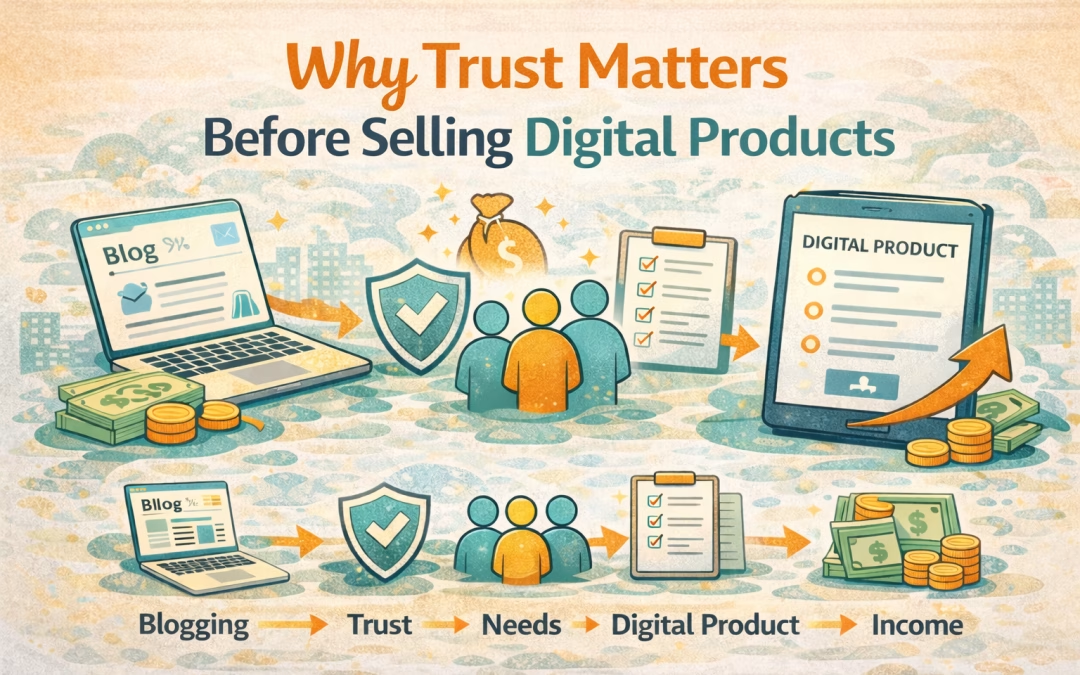
- Content → Trust → Product → Sell
Why This Sequence Works
Because it mirrors how people actually make decisions:
- They understand
- They believe
- They trust
- They act
Skip one step…
And everything weakens.
The Moment Selling Starts to Feel Natural
There’s a point where everything changes.
And it’s subtle.
You’ll Notice:
- You’re not trying to convince
- You’re not over-explaining
- You’re not second-guessing every word
Because the reader is already aligned.
They’ve:
- Read your content
- Understood your thinking
- Seen your approach
So when you introduce your product…
It doesn’t feel like selling.
It feels like:
“This is what comes next.”
How This Connects to Your Current Position
If you’ve been following this process:
- You understand the business model
- You’ve thought about your product
- You may have validated your idea
Then you’re not starting from zero.
You’re in the middle of the process.
And this is the step that determines:
Whether you move forward… or stay stuck
What You Should Do Next (Make This Practical)
Let’s make this real.
Not theoretical.
Step 1: Audit One Post Honestly
Pick one of your posts and ask:
- Does this actually help someone move forward?
- Or does it just inform?
Because information builds awareness.
But usefulness builds trust.
Step 2: Strengthen the Core Value
Take that post and improve:
- Make the problem clearer
- Make the explanation deeper
- Make the outcome more tangible
You’re not adding more.
You’re making it more useful.
Step 3: Add a True Transition (This Is Where Most Stop)
At the end of your post, guide the reader.
Don’t assume they’ll figure it out.
Example:
“Now that you understand why your blog isn’t generating income, the next step is having something you can actually offer.”
Then link to:
- How to Create Your First Digital Product
Step 4: Introduce Your Product as the Next Step
When you mention your product, check:
- Does it match the problem?
- Does it feel like the next move?
- Does it remove friction?
If yes…
You don’t need to push.
Step 5: Let the Right People Move
Not everyone will buy.
And that’s fine.
Your goal is not to convert everyone.
It’s to:
Help the right people move forward
The Deeper Shift (This Is What Changes Everything)
Selling becomes uncomfortable when:
- You try to force alignment
- You try to convince too early
- You try to accelerate trust
But when you respect the process:
- Trust builds naturally
- Alignment happens organically
- Selling becomes easier
Closing Thought
If selling has felt difficult before…
It’s not because you’re bad at it.
It’s because:
You were trying to harvest before you planted
Fix the order:
- Build trust first
- Then introduce your product
And selling stops feeling like effort…
And starts feeling like a continuation.
Where to Go Next
Now that you understand the role of trust:
👉 The next step is putting a simple structure in place that turns that trust into consistent sales
Because trust creates readiness…
But structure creates results.

by Digital Juan | Jul 12, 2025 | Selling Digital Products
If you’re selling digital products—like eBooks, online courses, templates, or apps—mockups are your secret weapon. They help your audience visualize what they’re getting, even if the product itself is intangible. A well-designed mockup can instantly elevate your brand, boost credibility, and increase conversions.
Think about it: would you rather buy a plain-text course titled “Mastering Instagram” or one that’s presented with a sleek image of a tablet displaying the course interface? That visual cue makes all the difference.
The Photoshop Problem: Why You Don’t Need It
Photoshop is powerful, no doubt. But it’s also expensive, complex, and frankly, overkill for most mockup needs. If you’re not a designer—or just want something fast and easy—there’s good news: you don’t need Photoshop to create stunning mockups.
Today’s online tools are intuitive, affordable (many are free), and packed with templates that make mockup creation a breeze. You can drag, drop, and export professional-looking visuals in minutes.
What Makes a Great Mockup?
Before diving into tools, let’s talk about what separates a meh mockup from a wow one.
A great mockup should:
- Showcase your product clearly: Avoid clutter. The product should be the hero.
- Match your brand aesthetic: Colors, fonts, and style should feel consistent.
- Look realistic: Whether it’s a laptop screen or a book cover, the mockup should feel like something you could touch.
- Be optimized for your platform: Instagram posts, website banners, email headers—they all have different dimensions and vibes.
When done right, mockups don’t just look good—they sell your product.
Top Online Tools to Create Mockups Without Photoshop
Let’s talk tools. These platforms are perfect for non-designers and pros alike:
Smartmockups
This is one of the most popular mockup generators. It offers a massive library of templates—from devices to packaging to apparel. You can upload your design and see it instantly applied to a mockup.
Canva
Canva isn’t just for social media graphics. It has mockup templates and integrates with Smartmockups, making it a one-stop shop for design and presentation.
Placeit
Placeit is known for its huge selection of lifestyle mockups. Want your app shown on a phone held by a barista in a coffee shop? Placeit has it.
Mediamodifier
Another solid option with drag-and-drop functionality and a wide range of mockup categories.
All of these tools are browser-based, so no downloads or installations needed.
Step-by-Step: Creating a Mockup Using Smartmockups
Let’s walk through a real example using Smartmockups.
- Sign Up and Log In
Head to smartmockups.com and create a free account.
- Choose Your Mockup Template
Browse categories like “Tech,” “Books,” or “Print.” Select one that fits your product.
- Upload Your Design
Drag and drop your image or screenshot. The platform will automatically place it into the mockup.
- Customize Background and Settings
You can change the background color, crop the image, or adjust shadows.
- Download Your Mockup
Export in high resolution and use it wherever you need—your website, sales page, or social media.
Pro Tip: Use transparent PNGs for cleaner overlays and better integration with mockup templates.
Using Canva for Quick and Stylish Mockups
Canva is a favorite for a reason. It’s fast, flexible, and beginner-friendly.
Here’s how to create a mockup in Canva:
- Open a New Design
Choose a custom size or use a template.
- Upload Your Product Image
This could be a screenshot of your app, a book cover, or a course thumbnail.
- Search for “Mockup” Elements
Canva has built-in mockup frames. Drag your image into a laptop, phone, or tablet frame.
- Add Branding Elements
Include your logo, tagline, or call-to-action.
- Export and Share
Download in PNG or JPG format and start using it in your marketing.
Bold Tip: Canva integrates with Smartmockups, so you can access even more templates without leaving the platform.
Tips to Make Your Mockups Stand Out
Creating mockups is easy. Making them great takes a bit more finesse.
Here are some expert tips:
- Use high-resolution images: Blurry visuals kill credibility.
- Stick to your brand colors: Consistency builds trust.
- Keep it simple: Don’t overcrowd the design.
- Test different angles: Sometimes a tilted phone or a 3D book cover grabs more attention.
And always preview your mockup on different devices before publishing.
Common Mistakes to Avoid When Designing Mockups
Even with great tools, it’s easy to fall into some traps. Watch out for these:
- Using generic templates: If your mockup looks like everyone else’s, it won’t stand out.
- Ignoring context: A mockup of a fitness app should feel active and energetic—not corporate.
- Over-editing: Too many filters or effects can make your product look fake.
- Skipping mobile optimization: Your mockup should look great on phones, since that’s where most users will see it.
Bold Reminder: Your mockup is often the first impression. Make it count.
How to Use Your Mockups for Marketing and Sales
Once you’ve created your mockups, it’s time to put them to work.
Here’s how:
- Website product pages: Replace plain screenshots with styled mockups.
- Social media posts: Use mockups to tease new products or share testimonials.
- Email campaigns: A visual preview can boost click-through rates.
- Ad creatives: Mockups make your ads look polished and professional.
You can even use mockups in pitch decks or investor presentations to show off your product in action.
Ready to Create Your Own Mockups? Let’s Go!
You don’t need Photoshop. You don’t need a design degree. You just need the right tools and a bit of creativity.
Mockups are more than just pretty pictures—they’re powerful marketing assets. They help your audience see your product, trust your brand, and buy with confidence.
So go ahead. Pick a tool, upload your design, and start creating mockups that convert.
Bold CTA: Ready to level up your digital product visuals? Try Smartmockups or Canva today and give your brand the polish it deserves.